Alert fatigue is a design problem, not a discipline problem
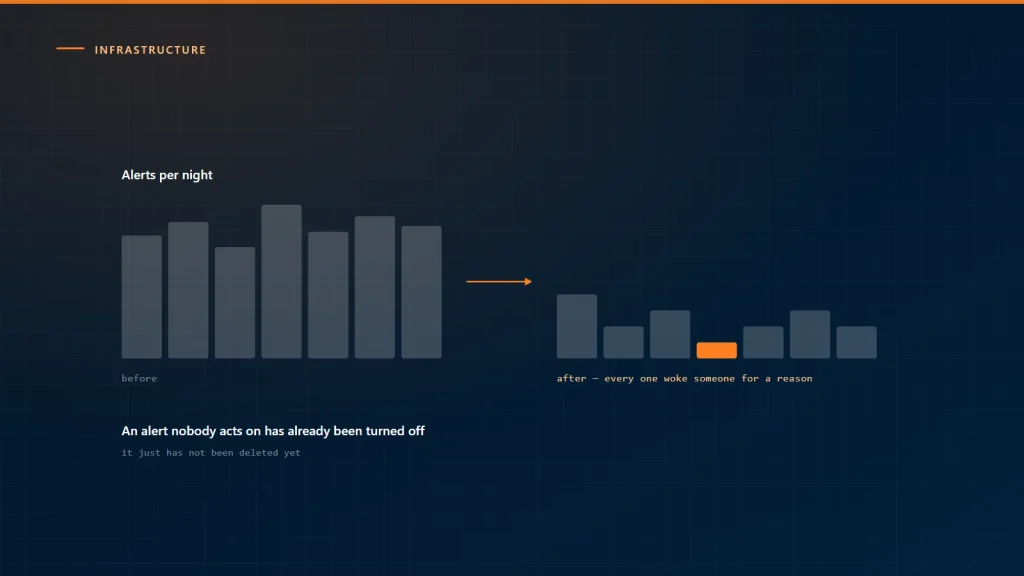
Every team with alert fatigue arrives at it the same way. Something breaks unnoticed, so an alert is added. Repeat for two years. Now the channel carries a hundred messages a day, nobody reads them, and the next thing breaks unnoticed — which is where you started, but with more configuration.
The rule that fixes most of it
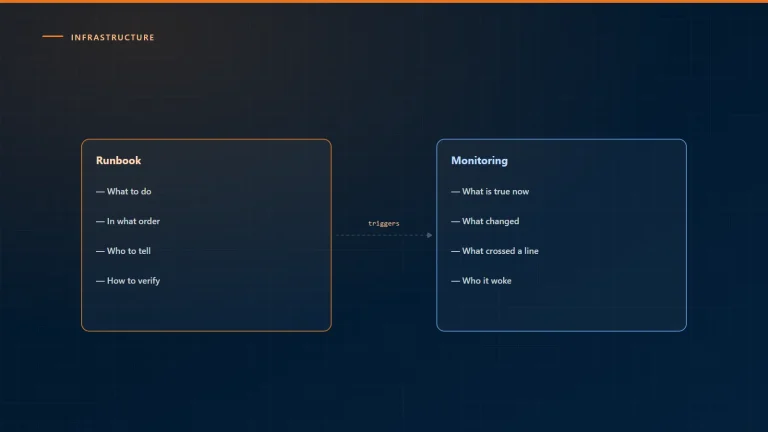
An alert is a request for a human to do something now. If nothing needs doing now, it is not an alert.
Applied honestly, that deletes most of what is currently alerting. The rest is not lost — it becomes a dashboard, a report, or a ticket. Those are the right destinations for “worth knowing” and “worth doing this week”. The alert channel is only for “worth waking someone”.
Sort what you have into three piles
Take the last month of alerts and put each into one of three:
- Someone acted immediately.Keep. This is the real set, and in most teams it is between five and fifteen distinct alerts.
- Someone acted eventually.Make it a ticket. A disk at 80% needs attention this week, not tonight.
- Nobody acted.Delete it. Not “tune the threshold” — delete it, and re-add it deliberately if something actually goes wrong later.
The third pile is usually the largest, and deleting it is the single highest-value monitoring change most teams can make.
Alert on symptoms, not causes
Cause-based alerting is what generates volume: CPU high, memory high, disk busy, queue depth, thread count. Each fires independently, each fires during ordinary operation, and none of them means the service is broken.
Symptom-based alerting fires on what the user experiences: requests failing, requests slow, work not being processed, the site unreachable. There are far fewer of these, they are unambiguous, and they do not fire when the system is coping.
High CPU with everything responding normally is not an incident. High CPU is a diagnostic to look at after the symptom alert fires — which is what dashboards are for.
Make the threshold mean something
Thresholds set from intuition produce alerts that fire during normal peaks. Two corrections help:
- Set from the actual distribution. Look at a few months of the metric and pick a level genuinely outside normal operation, not a round number.
- Require duration. Almost nothing needs alerting on a single sample. “Above threshold for five minutes” removes most spurious firing at no real cost in detection time.
Group, suppress, and keep dependencies
One failure should produce one alert. A database going down should not produce forty — one per service that depends on it. That requires the monitoring to know the dependencies, which is work, and it is the work that separates a monitoring system from a notification pipe.
Where a full dependency model is too much, two simpler measures get most of the benefit: group alerts by service so related ones arrive together, and suppress downstream alerts for a short window after an upstream failure.
Route by urgency, not by severity label
“Critical” is a label someone chose when creating the alert, usually optimistically. What matters is where it goes:
- Wake someoneService is down or degrading for users, right now.
- Notify during working hoursNeeds attention today.
- Create a ticketNeeds attention this week.
Three destinations, decided per alert, reviewed when it turns out to be wrong. If everything is in the first category, nothing is.
Keep it honest with a monthly review
Once a month, list every alert that fired, how many times, and what was done. Anything that fired repeatedly with no action is deleted or downgraded that day. Anything that should have fired and did not gets added.
Fifteen minutes, and it is the mechanism that stops the count climbing back. Without a regular deletion habit, alert configuration only ever grows.
Our infrastructure managed services run that review as part of the service, because an on-call rota that has learned to ignore its own alerts is worse than no monitoring — it costs the same and provides false confidence.